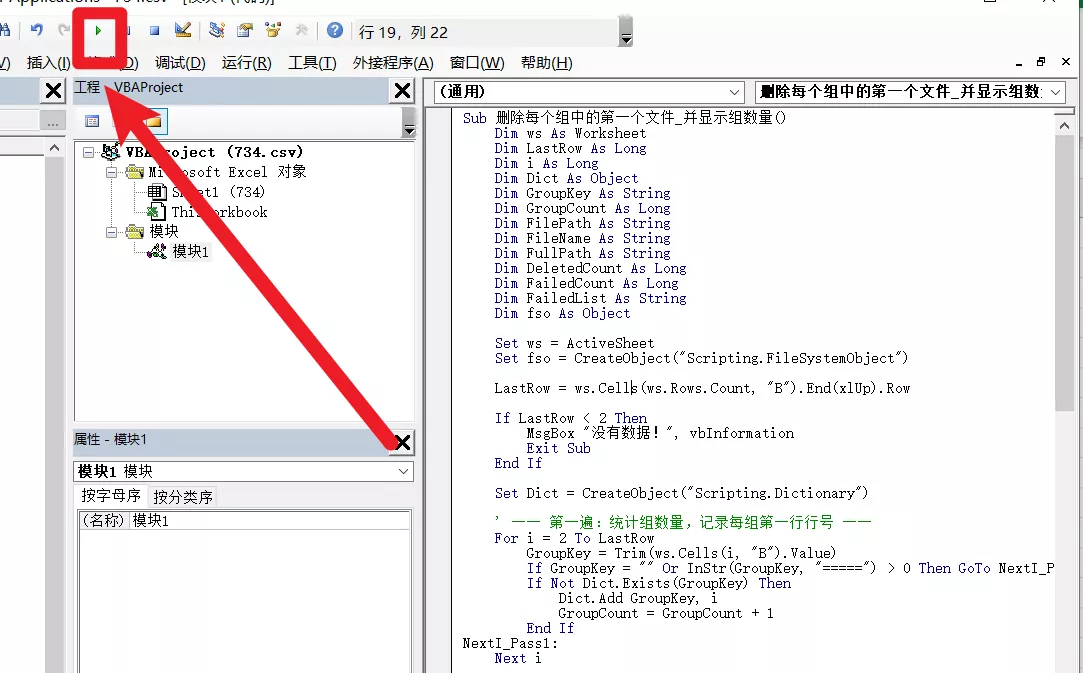
Sub 删除每个组中的第一个文件_并显示组数量()
    Dim ws As Worksheet
    Dim LastRow As Long
    Dim i As Long
    Dim Dict As Object
    Dim GroupKey As String
    Dim GroupCount As Long
    Dim FilePath As String
    Dim FileName As String
    Dim FullPath As String
    Dim DeletedCount As Long
    Dim FailedCount As Long
    Dim FailedList As String
    Dim fso As Object

    Set ws = ActiveSheet
    Set fso = CreateObject("Scripting.FileSystemObject")

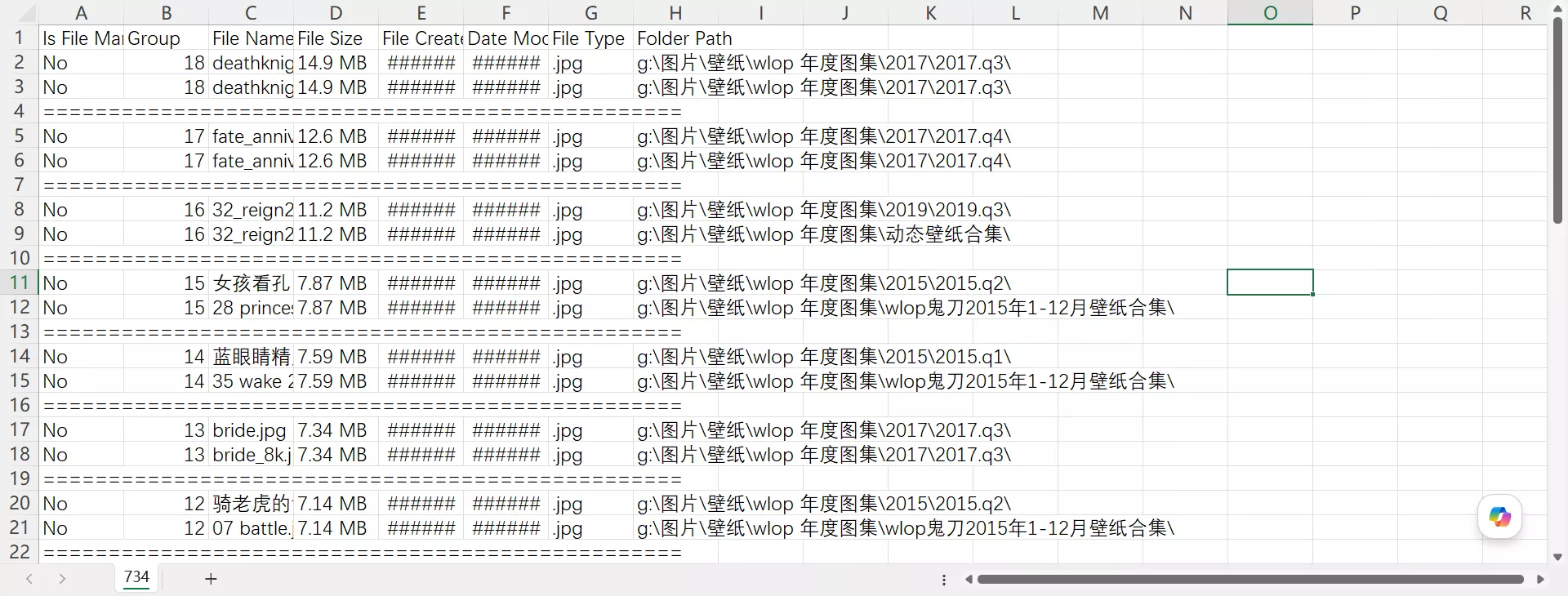
    LastRow = ws.Cells(ws.Rows.Count, "B").End(xlUp).Row

    If LastRow < 2 Then
        MsgBox "没有数据!", vbInformation
        Exit Sub
    End If

    Set Dict = CreateObject("Scripting.Dictionary")

    ' ── 第一遍:统计组数量,记录每组第一行行号 ──
    For i = 2 To LastRow
        GroupKey = Trim(ws.Cells(i, "B").Value)
        If GroupKey = "" Or InStr(GroupKey, "=====") > 0 Then GoTo NextI_Pass1
        If Not Dict.Exists(GroupKey) Then
            Dict.Add GroupKey, i
            GroupCount = GroupCount + 1
        End If
NextI_Pass1:
    Next i

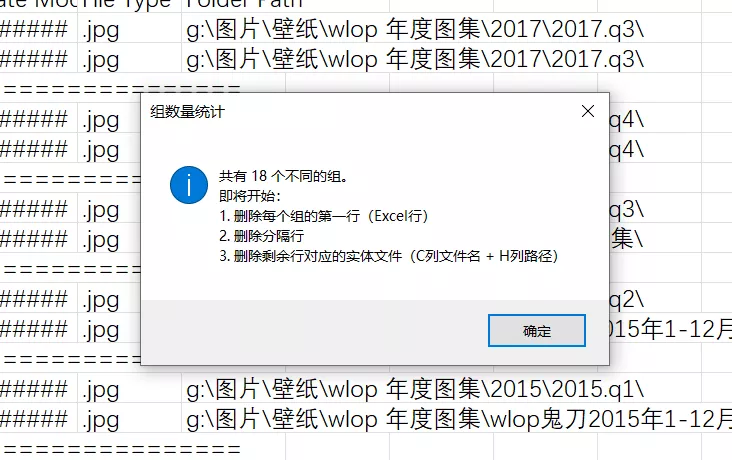
    MsgBox "共有 " & GroupCount & " 个不同的组。" & vbCrLf & _
           "即将开始:" & vbCrLf & _
           "1. 删除每个组的第一行(Excel行)" & vbCrLf & _
           "2. 删除分隔行" & vbCrLf & _
           "3. 删除剩余行对应的实体文件(C列文件名 + H列路径)", _
           vbInformation, "组数量统计"

    ' ── 第二遍:删除每组第一行 + 分隔行(从下往上) ──
    For i = LastRow To 2 Step -1
        GroupKey = Trim(ws.Cells(i, "B").Value)
        If GroupKey = "" Or InStr(GroupKey, "=====") > 0 Then
            ws.Rows(i).Delete Shift:=xlUp
            GoTo NextI_Pass2
        End If
        If Dict.Exists(GroupKey) Then
            If Dict(GroupKey) = i Then
                ws.Rows(i).Delete Shift:=xlUp
            End If
        End If
NextI_Pass2:
    Next i

    ' ── 第三遍:删除剩余行的实体文件 ──
    LastRow = ws.Cells(ws.Rows.Count, "B").End(xlUp).Row

    Dim answer As Integer
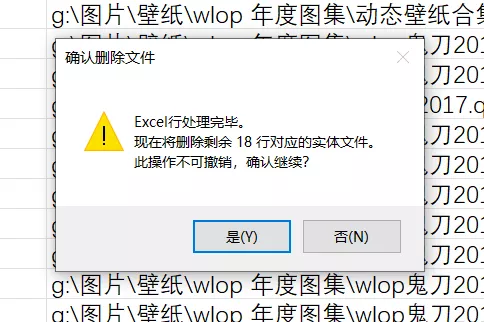
    answer = MsgBox("Excel行处理完毕。" & vbCrLf & _
                    "现在将删除剩余 " & (LastRow - 1) & " 行对应的实体文件。" & vbCrLf & _
                    "此操作不可撤销,确认继续?", _
                    vbYesNo + vbExclamation, "确认删除文件")
    If answer = vbNo Then
        MsgBox "已取消文件删除。Excel行处理已完成。", vbInformation
        Exit Sub
    End If

    For i = 2 To LastRow
        FileName = Trim(ws.Cells(i, "C").Value)
        FilePath = Trim(ws.Cells(i, "H").Value)

        If FileName = "" Or FilePath = "" Then GoTo NextI_Pass3

        ' 拼接完整路径:确保路径末尾有反斜杠
        If Right(FilePath, 1) <> "\" Then FilePath = FilePath & "\"
        FullPath = FilePath & FileName

        ' 删除文件
        If fso.FileExists(FullPath) Then
            On Error Resume Next
            fso.DeleteFile FullPath, True   ' True = 强制删除只读文件
            If Err.Number <> 0 Then
                FailedCount = FailedCount + 1
                If FailedCount <= 20 Then   ' 最多列出20个失败项避免弹窗过长
                    FailedList = FailedList & FullPath & vbCrLf
                End If
                Err.Clear
            Else
                DeletedCount = DeletedCount + 1
            End If
            On Error GoTo 0
        Else
            FailedCount = FailedCount + 1
            If FailedCount <= 20 Then
                FailedList = FailedList & "[文件不存在] " & FullPath & vbCrLf
            End If
        End If

NextI_Pass3:
    Next i

    ' ── 最终报告 ──
    Dim summary As String
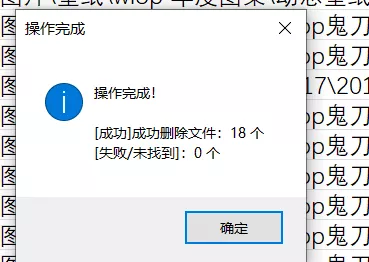
    summary = "操作完成!" & vbCrLf & vbCrLf & _
              "[成功]成功删除文件:" & DeletedCount & " 个" & vbCrLf & _
              "[失败/未找到]:" & FailedCount & " 个"
    If FailedList <> "" Then
        summary = summary & vbCrLf & vbCrLf & "失败明细(最多20条):" & vbCrLf & FailedList
    End If
    MsgBox summary, vbInformation, "操作完成"

End Sub